


Introduction
As cord-cutting becomes the new norm, live TV streaming services like YouTube TV and DirecTV Stream have emerged as top contenders in the battle for viewers. Both services allow you to ditch traditional cable and satellite packages while still providing access to live TV, popular channels, sports, and on-demand content. But how do these platforms compare, and which is best for you in 2024? In this article, we’ll explore the key differences and similarities between YouTube TV vs. DirecTV streaming, evaluating factors like pricing and channel lineup.
| Feature | YouTube TV | DirecTV Stream |
|---|---|---|
| Pricing | ~$72.99/month | Starts at ~$74.99/month |
| Channels | 100+ channels | 75+ channels (varies by package) |
| Local Channels | Yes (availability varies by location) | Yes (availability varies by location) |
| Cloud DVR | Unlimited storage, 9-month limit | 20 hours free, 1,000 hours with upgrade |
| Simultaneous Streams | 3 streams simultaneously | 20 streams with higher tiers |
| On-Demand Content | Extensive library available | Extensive library available |
| User Interface | Intuitive and user-friendly | More traditional cable interface |
| Device Compatibility | Supports most devices (smart TVs, mobile, streaming devices) | Supports smart TVs, mobile, streaming devices |
| Contract | No long-term contract | No long-term contract |
| Free Trial | Yes (typically 14 days) | Yes (typically 5 days) |
Pricing and Plans: Which Offers Better Value?
YouTube TV is known for its simplicity, offering one core plan priced at $72.99 per month, which includes over 100+ channels. The plan covers most popular networks, including news, entertainment, sports, and local channels. There are no additional hidden fees, and the price includes unlimited DVR storage.
DirecTV Stream takes a different approach with multiple pricing tiers:
- Entertainment package: $74.99 per month (75+ channels)
- Choice package: $99.99 per month (105+ channels, including regional sports)
- Ultimate package: $109.99 per month (140+ channels)
- Premier package: $154.99 per month (150+ channels, premium networks like HBO Max and Showtime)
With DirecTV Stream, you’re paying more for premium content and larger channel packages, especially if you want access to regional sports networks.
- Verdict: YouTube TV is the more affordable option for most viewers. It offers a robust channel lineup at a lower price, but DirecTV Stream can be worth it for viewers seeking more specialized channels or premium content.
Comparing YouTube TV and DIRECTV Stream: What to Consider
When deciding between YouTube TV and DIRECTV Stream, it’s helpful to understand how each service caters to different viewer preferences and household needs. YouTube TV is often praised for its user-friendly interface, modern navigation, and robust cloud DVR features, making it particularly appealing to users who prioritize ease of use and flexibility across devices. In contrast, DIRECTV Stream tends to offer a broader variety of channel packages and extensive live sports options, including regional sports networks and premium add-ons, which can make it a strong choice for larger households or viewers seeking the most comprehensive live TV experience. Additionally, the number of simultaneous streams and the style of content navigation differ between the two, so evaluating how you watch TV — whether on multiple screens or primarily on a main television — can guide your choice.
Channel Lineup: YouTube TV vs. DirecTV Stream
When it comes to the variety of channels, both YouTube TV and DirecTV Stream offer a comprehensive selection, but their focus differs slightly.
YouTube TV offers over 100 channels in its standard plan, featuring popular networks like ABC, NBC, CBS, and Fox. It also excels in sports with channels such as ESPN, Fox Sports, NFL Network, NBA TV, and MLB Network. For those who want access to all NFL games, YouTube TV now holds the exclusive rights to the NFL Sunday Ticket.
DirecTV Stream, while it offers fewer channels at the entry-level, shines when it comes to regional sports networks (RSNs). Starting with the Choice package at $99.99/month, subscribers get access to Bally Sports and other RSNs, making it the top option for those who follow local teams. The higher-tier packages also include premium channels like HBO Max, Showtime, and Starz.
- Verdict: For sports fans who want national coverage, YouTube TV is the superior choice. However, if regional sports networks are important to you, DirecTV Stream takes the edge.
DVR and Recording Features: YouTube TV vs. DirecTV Stream
Both YouTube TV and DirecTV Stream offer cloud DVR storage, but YouTube TV provides more flexibility and value. YouTube TV includes unlimited DVR storage for free with every plan, allowing you to record as much content as you want. Your recordings are stored for up to 9 months, giving you ample time to catch up on your favorite shows and sports events. Additionally, you can record multiple shows simultaneously without any limitations.
DirecTV Stream offers 20 hours of DVR storage for free, which can be upgraded to unlimited storage for an additional monthly fee of $10. Although you can expand the storage, having to pay extra for something YouTube TV includes for free may be a downside for some viewers.
- Verdict: YouTube TV wins hands down with its unlimited DVR storage included in the base price, offering more flexibility for recording live TV without worrying about running out of space.
User Interface and Experience: Ease of Use
User experience is essential for any streaming platform, and YouTube TV and DirecTV Stream have different approaches to their interfaces.
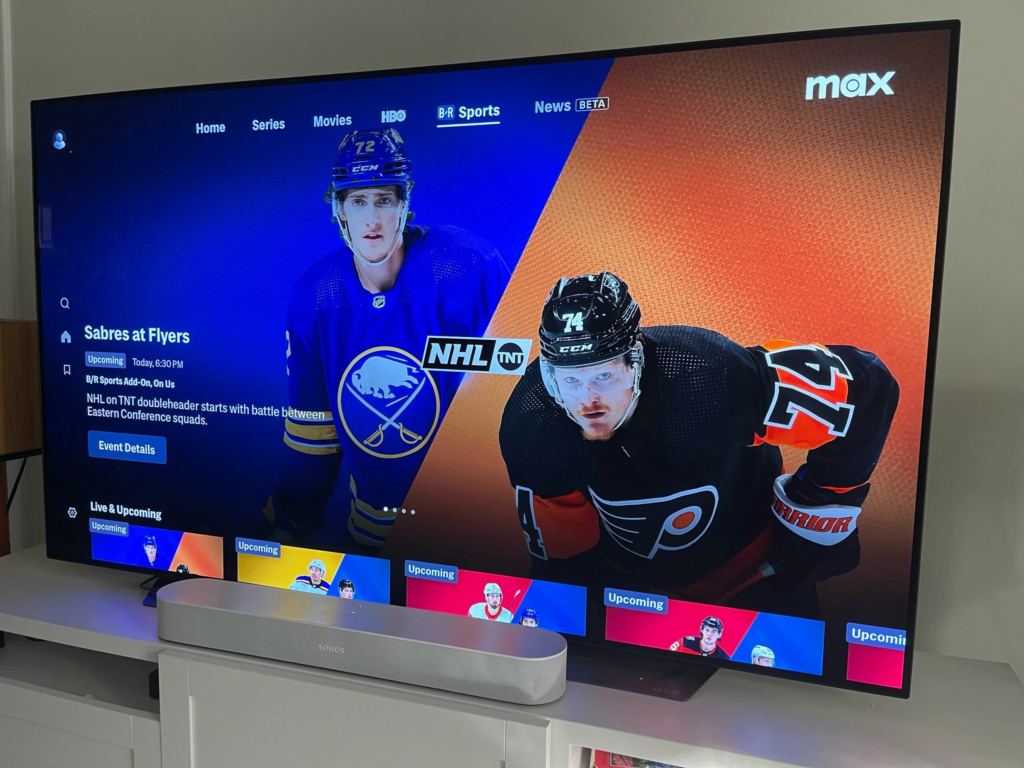
YouTube TV has a clean, easy-to-navigate interface that’s similar to the YouTube platform itself. It features a straightforward layout with three main tabs: Library, Home, and Live. This design makes it easy to jump between live TV, your saved recordings, and recommended shows based on your viewing habits. It also loads quickly and offers a smooth, user-friendly experience across multiple devices.
DirecTV Stream offers a more traditional cable-like interface, with a grid-style guide that mirrors the layout of older satellite and cable TV services. While it’s functional and familiar, it can feel slightly outdated compared to YouTube TV’s modern design. That said, DirecTV Stream still provides a reliable streaming experience with decent response times.
- Verdict: YouTube TV offers a more modern, user-friendly interface, making it easier for cord-cutters to get the most out of their live TV streaming experience.
Device Compatibility: Where Can You Watch?
Both YouTube TV and DirecTV Stream are compatible with a wide range of devices, including:
- Smart TVs (Samsung, LG, Vizio)
- Streaming devices (Roku, Apple TV, Amazon Fire TV, Chromecast)
- Mobile devices (iOS and Android)
- Web browsers (Chrome, Safari, Firefox)
However, YouTube TV extends its device compatibility by supporting gaming consoles such as PlayStation and Xbox, which DirecTV Stream does not.
- Verdict: YouTube TV has the edge in device compatibility due to its support for gaming consoles, making it a versatile choice for those who want to stream live TV on a wide variety of platforms.
Premium Features and Add-ons: Customization Options
Both platforms allow users to add premium channels and features, but the way they approach this varies.
YouTube TV offers several add-ons, including 4K Plus (for streaming in 4K), Sports Plus, and premium channels like HBO Max, Showtime, and Starz. The 4K Plus add-on not only enhances your viewing quality but also allows you to download DVR recordings for offline viewing on mobile devices.
DirecTV Stream also offers premium channels as part of its packages, but some (like HBO Max) are included for free only with higher-tier subscriptions like the Premier package. It lacks a direct 4K add-on like YouTube TV, though many of its channels are available in HD.
- Verdict: YouTube TV offers more flexibility and value in terms of premium add-ons, especially with the 4K Plus feature, giving it a slight advantage.
Sports Offerings: National vs. Regional
YouTube TV excels in national sports coverage, providing channels like ESPN, Fox Sports, NBC Sports, and specialty channels like NFL Network and NBA TV. Its acquisition of the NFL Sunday Ticket also makes it a go-to option for NFL fans who want access to out-of-market games.
DirecTV Stream, while strong in national sports, truly shines in its regional sports networks. It’s one of the few services that still offer channels like Bally Sports and NBC Sports Regional Networks, making it ideal for local sports fans who want to watch their home teams.
- Verdict: For national sports, YouTube TV is the best option, but for those who prioritize regional sports coverage, DirecTV Stream is a must-have.
Conclusion
Both YouTube TV and DirecTV Stream have their strengths, but the right service for you depends on your preferences. Choose YouTube TV if you want a simplified, affordable service with unlimited DVR, strong national sports coverage, and a modern user experience. Its competitive price and features make it the best option for most cord-cutters. Choose DirecTV Stream if you’re willing to pay more for regional sports networks and a cable-like experience with more premium channel options. It’s especially beneficial for viewers who want access to local sports teams.
Apart from that if you want to know about “Various Features to Look for When Purchasing an AI Chatbot Builder” then please visit our “Tech” Category.
FAQs
While YouTube TV does offer some sports channels, it has fewer regional sports networks compared to DirecTV Stream, which is known for its extensive RSN coverage.
Yes, YouTube TV offers NFL Sunday Ticket as an add-on, making it the exclusive home for out-of-market NFL games.
No, both DirecTV Stream and YouTube TV operate without contracts, allowing subscribers to cancel at any time.
YouTube TV focuses on simplicity, cloud DVR features, and ease of use, while DIRECTV Stream emphasizes a wider range of channel packages and traditional TV-style viewing.
Both services offer live TV, but the better option depends on viewing preferences, such as channel variety, sports availability, and interface design.